Laboratory 1: deterministic customer normalization
This laboratory processes 1,000 synthetic CSV rows through eight Transform components and expects 667 normalized output rows. It demonstrates text cleanup, replacement, field splitting, concatenation, calculated fields, conversion, filtering and numeric sorting. Names and values are repeatable fixtures, not records of real people.
Use the existing synthetic laboratory package, edition 6.0.2. The fixture format remains applicable to the documented transformation model; the package version is separate from the Dova 7 interface. It contains the sample inputs, expected outputs and coherent Mapping/Session/Workflow definitions. The ZIP is a fixture runner, not the Dova engine, and requires an authorized source checkout with the documented Python dependencies.
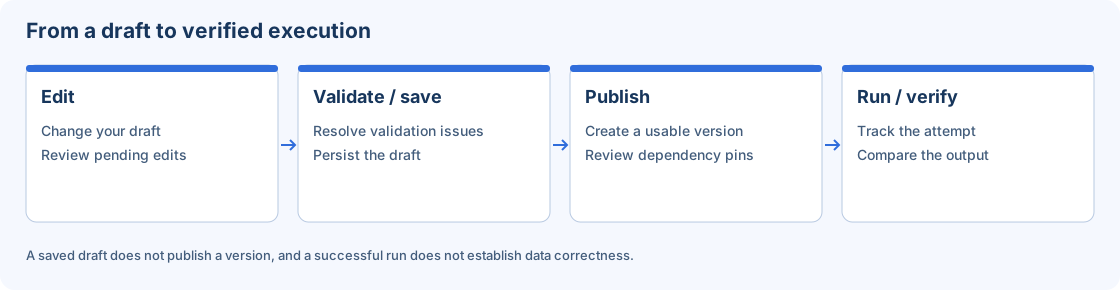
The local transformation verification and a server Workflow run are separate exercises.
1. Inspect the data and expected result
After extracting the package, inspect transform_workflows/inputs/customers.csv. Its fields include customer_id, raw_name, location, amount and status. It intentionally contains repeated spaces, accents, a vertical-bar location separator and alternating ACTIVE, ENABLED and INACTIVE states.
Inspect transform_workflows/expected/customer_normalized.csv independently. Do not generate your expected output by simply copying a new engine result. The supplied independent Python oracle establishes the expected values, ordering and byte representation.
2. Review the eight transformations
| Step | Operation | Rule to verify |
|---|---|---|
| 1 | Clean | Trim and collapse spaces and remove accents in name/location. |
| 2 | Replace | Replace exactly ENABLED with ACTIVE. |
| 3 | Split | Split location into city/country and remove the original field. |
| 4 | Concat | Build customer key from the cleaned name, # and identifier. |
| 5 | Derive | Create the segment from country and status. |
| 6 | Convert | Convert amount to a numeric output field and fail on invalid conversion. |
| 7 | Filter | Keep ACTIVE records only. |
| 8 | Sort | Order numeric amount descending. |
Replace precedes Filter, so rows originally marked ENABLED are accepted. Conversion precedes Sort so the order is numeric rather than lexical. Inspect those dependencies before moving components on the canvas.
3. Run the isolated verifier
From the extracted package directory, point the runner to your authorized source checkout:
python .\run_pocs.py --repo C:\path\DovaETL --report .\verification.json
Replace the illustrative path. The runner does not start a server, create tenant objects or access network endpoints. It copies synthetic inputs into a temporary directory, validates definitions and verifies both documented laboratories. The optional report contains safe counts, hashes and comparison results.
If a dependency is missing, follow the project's authorized dependency setup. Do not modify expected CSVs to make a mismatch disappear. Inspect the first error and the fixture integrity result.
4. Check acceptance
Confirm 1,000 source rows, 667 output rows and byte-for-byte equality with both the independent oracle and supplied expected CSV. Inspect the columns and descending amount order as additional human checks. A correct count alone would not reveal an incorrect key, segment or sort order.
5. Reproduce through the UI
Review the definition in Mappings, configure all bindings in Sessions, and publish a laboratory Workflow. Use worker-accessible synthetic files and an exclusive destination. Run manually and inspect Monitor. Record the actual published dependency versions and run identifier, then compare the server output with the same expected result.
Local verification demonstrates transformation behavior for these fixtures. It does not establish remote worker authentication, storage permissions or production capacity. For a mismatch, inspect Replace/Filter ordering, numeric conversion, the split delimiter and output serialization before changing the oracle.