Configuration: runtime policy, profiles, scheduler and health
Configuration separates four concerns: Dova Integration Runtime, Execution profiles, Workflow Scheduler and Runtime health. Runtime policy selects authorized capacity and affinity; profiles express execution limits; schedules express future orchestration; health reports the current condition.
Check the active scope and permission before saving. A tenant default differs from an explicit Session override. A schedule timezone differs from your profile display timezone. Document the current baseline so that a laboratory change can be restored deliberately.
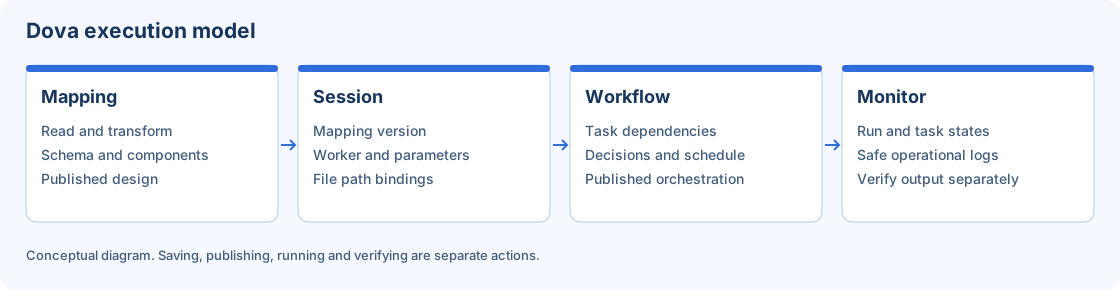
Session and Workflow inherit or override runtime choices; Monitor verifies actual attempts.
Step-by-step procedure
Inspect the four tabs. Open Configuration and review each tab without making changes. Identify which problem you are solving before editing: default capacity, per-execution limits, a schedule, or diagnosis.
Review runtime defaults. In Dova Integration Runtime, inspect the tenant default worker and the affinity or selection options offered. Confirm state and compatibility in Workers before selecting a replacement default.
Review overrides and inheritance. Compare the default with a laboratory Session that uses Use tenant default. If an override is authorized, test it explicitly and record that distinction. Do not assume an override changes the default for other Sessions.
Prepare an execution profile. In Execution profiles, inspect existing policies and their units. Select or edit the appropriate authorized profile, using a concrete reason for each limit. Verify the Session/Workflow inheritance rather than copying arbitrary capacity values.
Prepare a schedule. In Workflow Scheduler, create or review a reusable schedule. Confirm its calendar, timezone and enabled state. Assign it from the intended published Workflow only after a successful manual laboratory run.
Save and reload. Review the intended changed fields, save and wait for the accepted result. Reopen the relevant record or tab to confirm persistence. If the baseline did not change, the save control may correctly remain disabled.
Inspect health separately. Open Runtime health and read current status. A saved policy does not establish that a worker is online or a scheduled attempt succeeded. Continue in Workers and Monitor for those checks.
Verify the result
Test inheritance with two synthetic Sessions: one using tenant default and one using a permitted compatible override. Run both and verify the selected capacity in execution context and Monitor. For the schedule exercise, record the explicit timezone, next planned time and the distinct resulting run identifier.
Errors and recovery
For an unavailable worker, diagnose its state rather than increasing limits. For an invalid field, correct its units and range. After a concurrent change, reload the baseline and compare before resubmitting. Disable a temporary laboratory schedule when the exercise ends; closing Configuration does not disable it.
Continue
Repository · Mappings · Sessions · Workflows · Monitor.