Sessions: bind a Mapping to its execution context
A Session associates a Mapping with Environment, worker selection, execution profile, recovery, typed parameters and file path bindings. It does not replace the Mapping algorithm. File paths refer to the runtime worker; a file on the browser computer is not automatically accessible there.
Prepare a published Mapping, an authorized location and compatible execution capacity. Read access, editing, publication and execution are separate permissions. The manager supports search, environment/status/runtime filters, Columns, Export CSV and pagination; summary cards filter rather than modify Sessions.
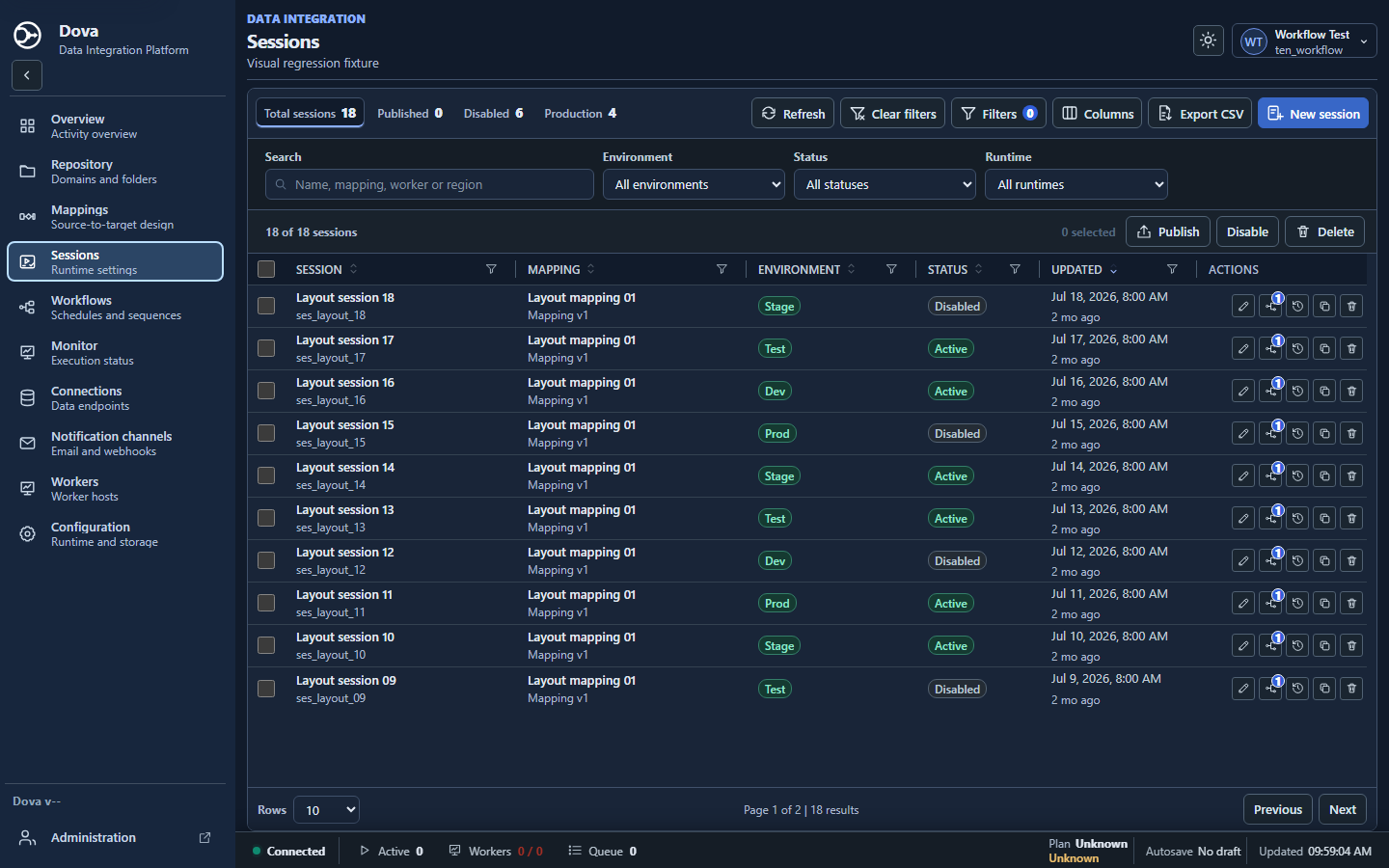
Dova 7 Sessions manager, desktop dark theme, with synthetic local data.
Step-by-step procedure
Create the Session. Choose New session and name the exercise
s_CustomerDemo_Test. In General, select the published Mapping, Domain and Folder. Review the referenced Mapping version and any update notice before continuing.Set the environment. Choose Development, Test, Stage or Production according to the context. Test is appropriate for this exercise. Selecting Production is a classification: it does not publish the Session or grant permission to run it.
Configure Runtime. Keep Use tenant default unless a deliberate override is needed. If allowed, enable Override worker and select compatible capacity. Review Execution profile and whether it inherits from the Workflow. Provider and region information comes from the worker and is read-only.
Choose recovery deliberately. Review the available fail-fast, retry and checkpoint policies. A checkpoint option only helps when the engine and task have persisted a usable checkpoint. It does not guarantee rollback of writes to an external destination.
Complete File paths. Open File paths after choosing the published Mapping. Fill every required source and target binding with a path accessible by the selected worker. Use a destination exclusive to the laboratory to avoid overwriting another attempt.
Inspect Parameters. Enter only overrides defined by the Mapping and with matching types. Use Parameter preview to inspect name, type and resolved value. Do not paste credentials into parameter JSON or descriptions.
Save and publish. Save draft, resolve validation issues and publish the accepted Session. Reopen it from the manager to confirm the persisted settings and Mapping reference. Then associate it with the laboratory Workflow.
Compare contexts. Create a second Session for Stage with the same Mapping version and equivalent input, but another output path. Run both through a laboratory Workflow and compare the transformed data while preserving independent files.
Verify the result
A typed override is valid only when the Mapping declares that parameter:
{"batchSize":{"type":"integer","value":5000}}
For acceptance, confirm the saved Mapping version, environment, worker policy, all file bindings and the parameter preview. Run the sample and compare outputs. Target timestamps may be inherited, enabled or disabled; an optional %RUN_TIMESTAMP% template affects the filename while preserving its directory.
Errors and recovery
A missing path should be corrected in this Session, not in a separate environment. An ineligible worker may reflect state, slots, capabilities, tenant policy or profile exclusions. Invalid JSON should be fixed without discarding other draft fields. Review consumers after accepting a Mapping version update; publication does not silently update every Workflow.
Continue
Repository · Mappings · Workflows · Monitor · Configuration.