Developer Tools: download the CLI and manage personal API keys
Developer Tools provides platform-specific CLI distributions, checksum and signature information, quick-start instructions, release notes and personal API key management. A package name or version label alone does not establish integrity; compare the downloaded SHA-256 with the published value.
Use an authorized laboratory environment and a personal key scoped to the required work. Keep keys out of shared commands, screenshots, repository files and incident reports. API authorization remains tied to identity, tenant and permissions.
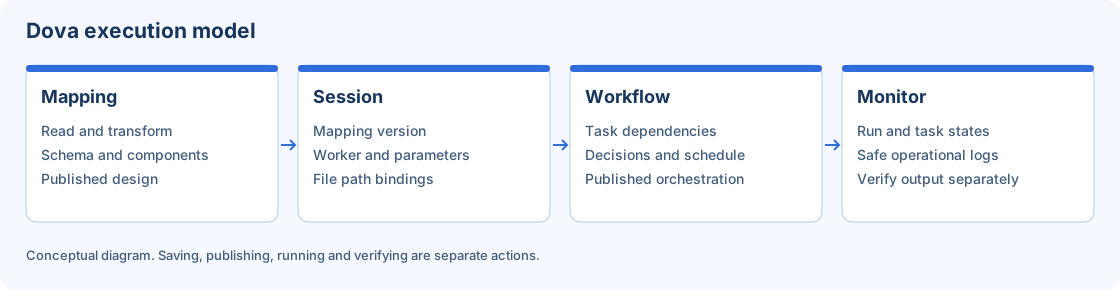
The CLI accesses the same authorized objects and run lifecycle as the workspace.
Step-by-step procedure
Choose the correct distribution. Open Developer Tools or the Downloads entry in the account menu. Select your operating system and inspect the published artifact version, signature status and installation instructions. The CLI version can differ from the application version.
Verify the download. Download the selected artifact to an authorized local location. Calculate SHA-256 with the platform tool and compare it exactly with the published checksum before installing. Investigate a mismatch rather than bypassing verification.
Install and inspect help. Follow the package instructions. Run dova --version and the relevant command help. Confirm the executable you are using is the intended installation, especially if another version is already on PATH.
Create a purposeful API key. Use API Keys to create a personal laboratory key where permitted. Record its purpose and expiry according to your policy. Handle the displayed value through the protected workflow; it is not documentation evidence.
Log into the laboratory. Run dova login --url with the authorized service URL. Enter the key through the interactive prompt rather than adding it to a shared argument. Check the identity and tenant returned by login.
Start with read-only commands. Use status, repository list and filtered mapping/workflow/run lists. Compare their result with the corresponding UI module. A valid empty list is different from a failed authentication response.
Close and revoke separately. Use dova logout to remove local authentication state when appropriate. Revoke a temporary key in the server UI when it must stop working on every device. Logout and revocation have different scope.
Verify the result
Read-only laboratory examples:
dova --version
dova login --url https://dova-lab.example.invalid
dova status --output json
dova repository list --domain Training --output json
dova mapping list --name sample --limit 50 --output json
The .invalid URL is an intentional placeholder. Replace it with your authorized laboratory host. Confirm the returned identity and compare identifiers with the UI before automating writes.
Errors and recovery
For checksum mismatch, stop using the artifact and verify the distribution. For 401/403, review expiry, active key and permission; do not reinterpret the error as an empty list. A command timeout may leave server work running. Inspect the existing run before retrying. Protect the CLI profile because it can retain authentication state.
Continue
Repository · Mappings · Sessions · Workflows · Monitor · Configuration.