Notification channels: prepare and test reusable destinations
Notification channels define reusable delivery destinations for authorized events. A channel is different from the notification policy, the execution email template and the platform SMTP transport. Configuring a destination alone does not establish when an event is generated or whether a recipient received it.
Choose a controlled laboratory destination and a role allowed to manage the channel. An endpoint or recipient can be sensitive even when it is not a password. Keep real customer addresses and webhook URLs out of documentation and screenshots.
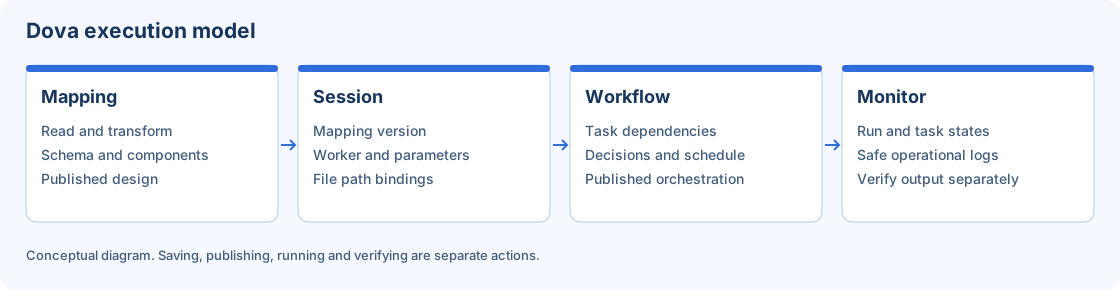
Notifications follow execution events; event creation and external delivery are distinct checks.
Step-by-step procedure
Choose the destination purpose. Open Notification channels and inspect existing entries. Decide which event or team needs the channel and whether an existing authorized destination should be reused rather than copied.
Create the channel. Use the available creation action and enter a recognizable laboratory label. Choose the offered channel type and complete its required endpoint or recipient settings. Follow the type-specific validation shown by the form.
Review scope and sensitive input. Confirm the active tenant and which authorized audience the channel serves. Use the protected credential flow when the type requires it. Never replace a protected field with a secret embedded in a URL or description.
Save before testing. Save the channel and inspect the accepted result. Reopen the persisted record when needed. A test should validate the stored configuration rather than an unsaved draft that was never accepted.
Send a controlled test. Use the Test action where available and send only synthetic content to the laboratory destination. Read the reported result and inspect the receiving sandbox system. A local success message may describe handoff rather than final delivery.
Associate the policy. Review the relevant execution or administrative notification settings. Configure which authorized events use the destination and how suppression, severity or recipient rules apply. Do not confuse this with editing the email body.
Check end-to-end delivery. Trigger a synthetic event and review the delivery history. Compare generated, sent, failed or suppressed state with the receiving system. Restore temporary policies when the exercise finishes.
Verify the result
Acceptance requires a persisted channel, an expected test response and an independently observed laboratory delivery or a clearly explained suppression. Preserve a safe identifier and timestamp for troubleshooting. For email, verify transport and template separately; for webhooks, respect the endpoint contract and retry behavior.
Errors and recovery
If a test fails, inspect safe validation and transport messages without exposing the endpoint credential. If an event is suppressed, inspect notification policy before changing the channel. If delivery is delayed, check its current state before sending duplicates. Removing a channel may affect consumers; inspect references and use the confirmation shown.
Continue
Repository · Mappings · Sessions · Workflows · Monitor · Configuration.